More than 250 subscriptions and contracts in the catalog
From streaming to gym contracts. Logos for almost all, prices for many services. Every amount is just a suggestion you can change. If a service is missing, you suggest it.
For iPhone, soon on the App Store
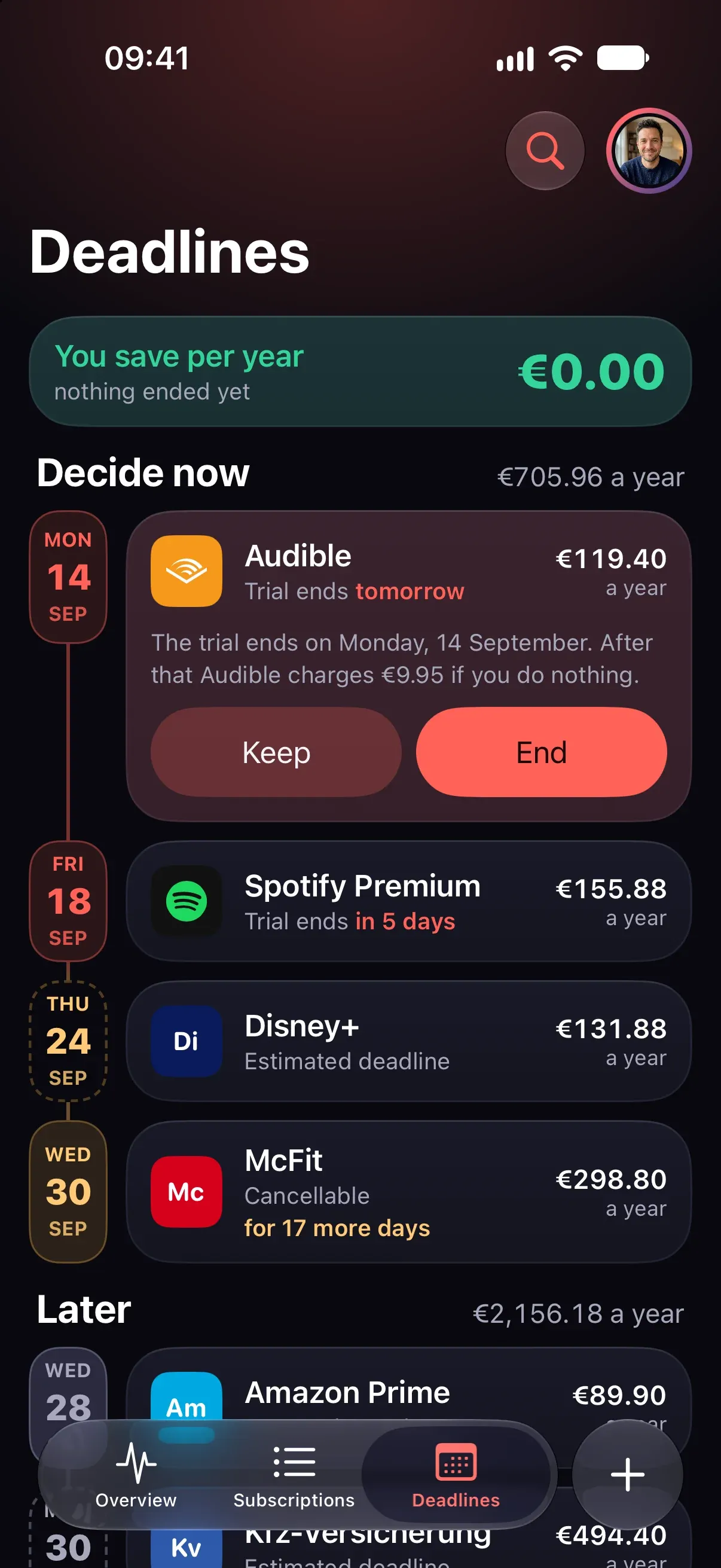
Subtide shows all your subscriptions and contracts with their deadlines, reminds you in time and walks you through cancelling. Private on your iPhone, no bank login.
On average, a US adult who pays for subscriptions spends
$1,080
a year$90 a month. Four in five US adults paid for at least one subscription in the past year.
$17 a month goes to subscriptions they don't use. That is $204 a year.
61% are rethinking their subscriptions. More than a quarter have already canceled one.
Source: CNET subscription survey 2025 (YouGov, 2,440 US adults, April 2025). Figures are what subscribers report for themselves.
How Subtide keeps it under control
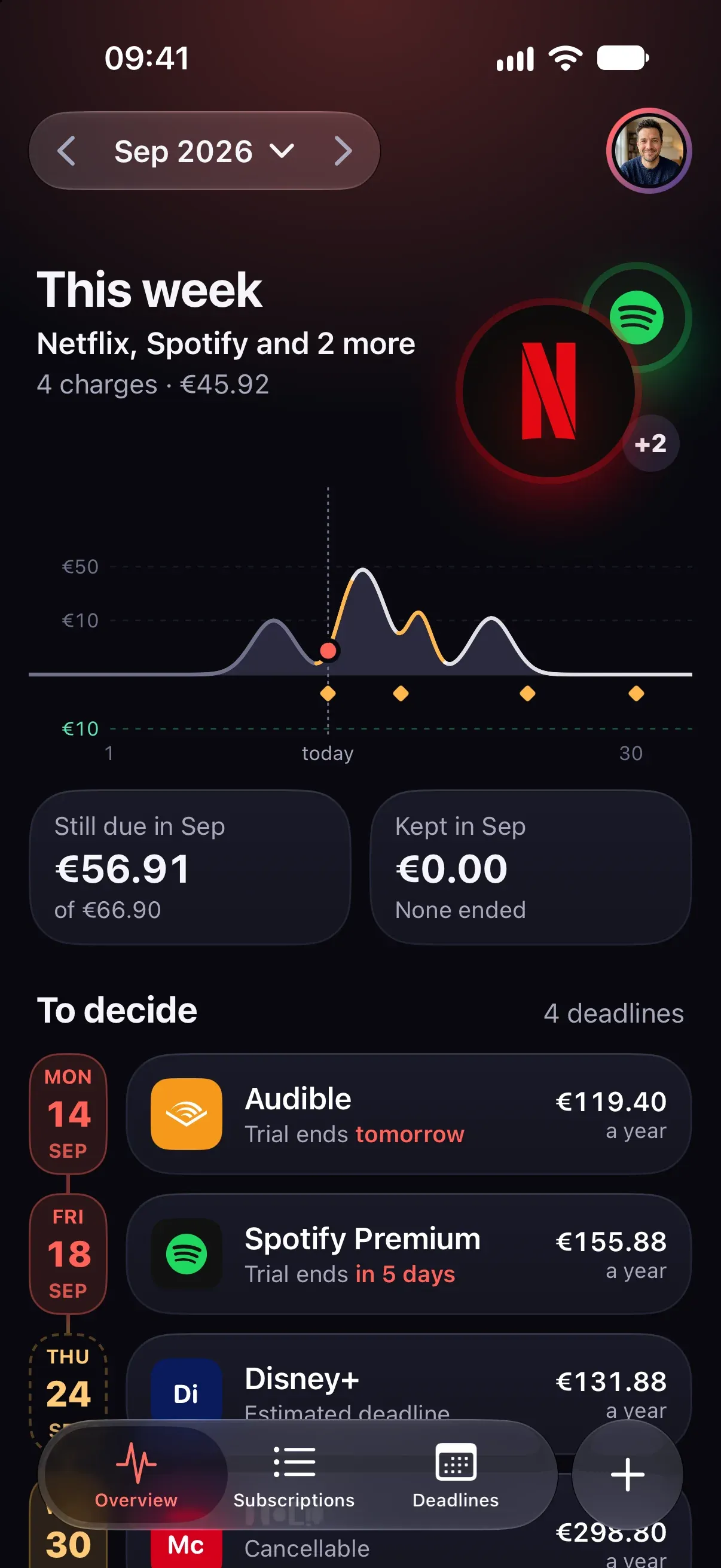
This week
Netflix and Spotify
2 charges · €28.98
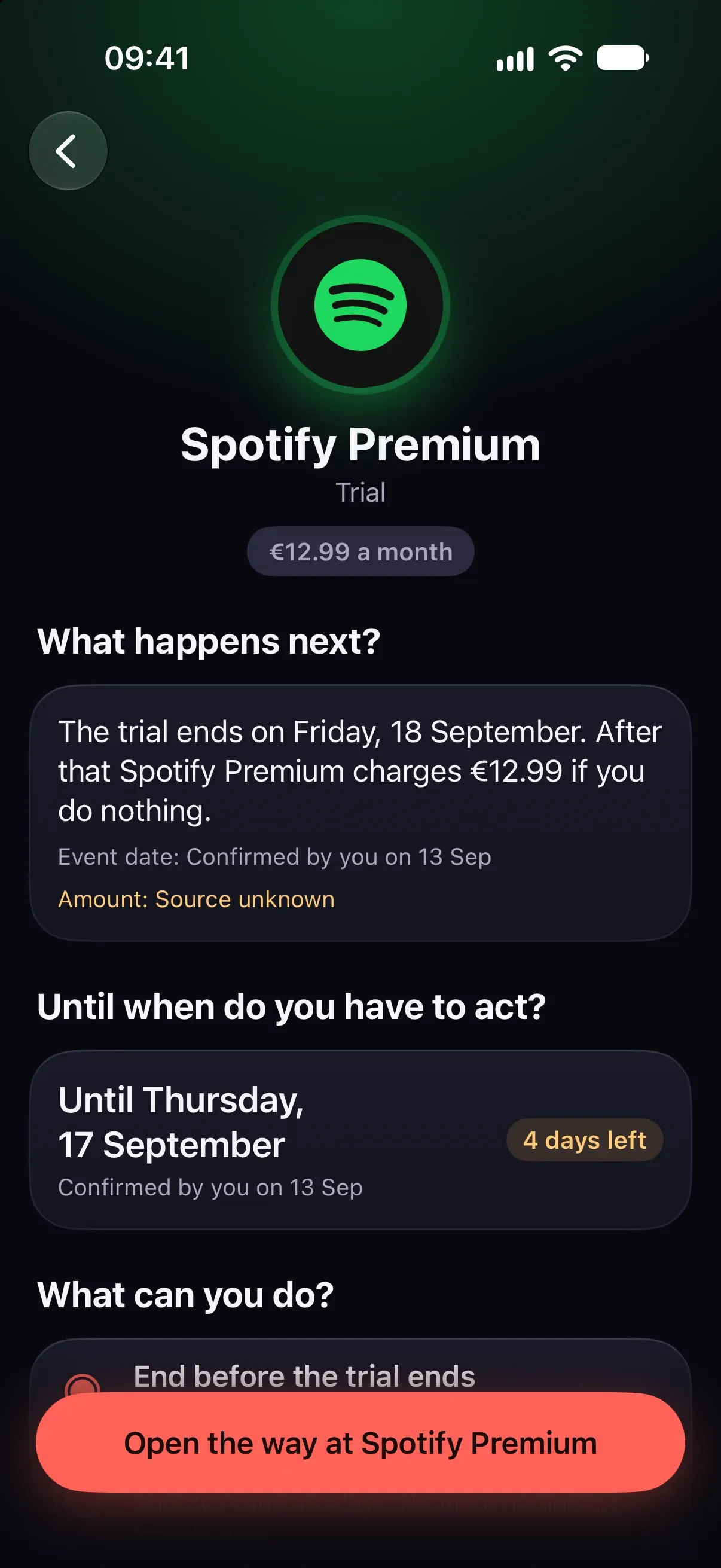
Spotify: decide by 17 Sept


Move your mouse or finger across the wave. Every hill is a charge, every dip an ended subscription.
Features
Subtide stays with every subscription and contract from the first charge to the end. Five stops, nothing in between.
Every charge is a hill, every ended subscription a dip. You see what is still due and what stays with you, before the money is gone.
Trials, renewals and notice periods, sorted by date. Subtide only reminds you of deadlines you have confirmed, so no false alarm gets through.
For every deadline, Subtide shows what happens next, when you have to act and what your options are. Calmly, with all the numbers in front of you.
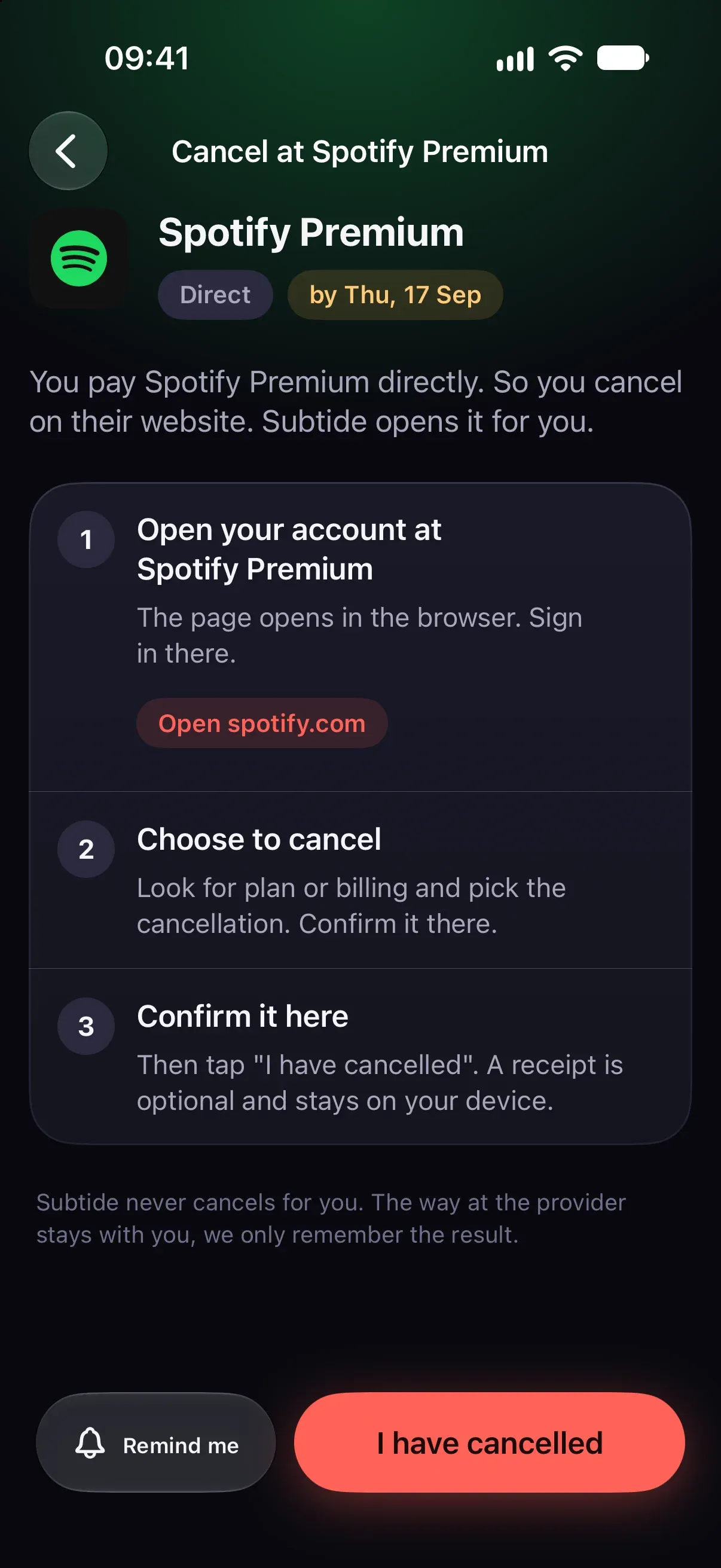
Subtide opens the way at the provider, on their website, in the App Store or at PayPal, and remembers the result. You do the cancelling. What you save, the app counts as Saved in euros.
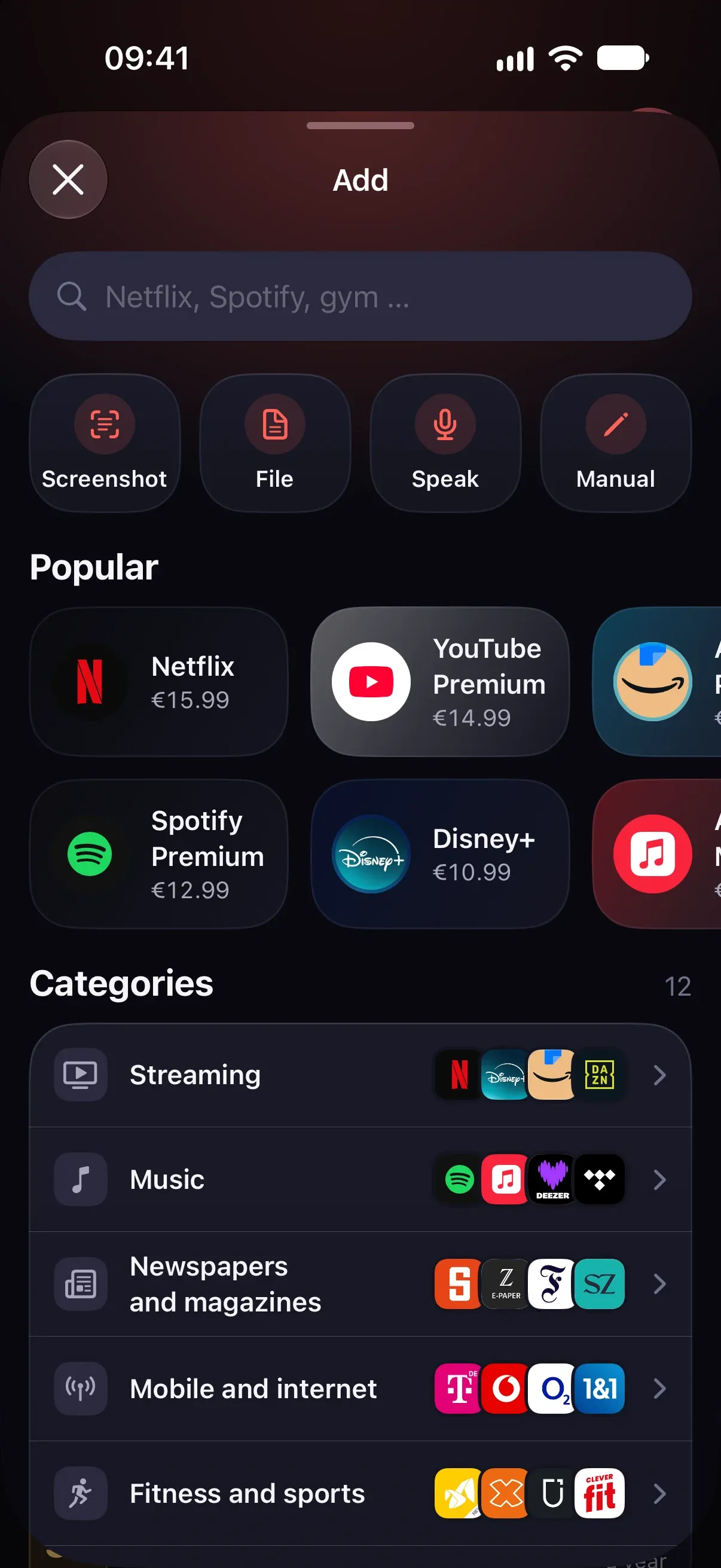
Pick a service from the catalog, have it read from a screenshot or an email, or tell Siri. Everything is processed on your iPhone, nothing leaves it.
Also
A catalog that knows your providers, import without a bank login, Siri and widgets.
From streaming to gym contracts. Logos for almost all, prices for many services. Every amount is just a suggestion you can change. If a service is missing, you suggest it.
September 2026
Pick a service, tap the day, done. The catalog already knows the price and billing.
Pick a screenshot from Photos, open a PDF or image from Files, or paste the text of an email. Subtide reads service, amount and date. On your device.
Ask for costs, the next charge and the next deadline without opening the app. A subscription you tell Siri, you confirm in the app afterwards.
What is still due this month on your Home Screen, every day with charges and deadlines in the calendar.
Privacy
Subtide knows your subscriptions because you enter them, not because it looks into your account. We only count anonymously which features get used, never what you subscribe to.
Your iPhone
All your subscriptions and contracts live here. Search and recognition run here.
Your private iCloud
If iCloud is on, Subtide syncs there. Subtide itself can't reach your data.
Subtide server
There is none. No account, no login.
Your bank account
Never connected, not at the start and not for Plus.
Ad networks
No ads, no selling of data.
The difference
 SubtideOther subscription trackers
Pricing
Everything that reminds you of deadlines costs nothing. Plus is a one-time purchase, no subscription.
Subtide
€0
Subtide Plus
Buy once. No subscription, no renewal.
€19.99
Early bird price until 31 Mar 2027, then €29.99. One time, forever.
The purchase runs through the App Store. Prices can differ by country, the App Store shows you the price for yours. If you want to support development, you can also buy a coffee. It unlocks nothing.
FAQ
No. Subtide never connects to your bank. You add subscriptions from the catalog, import them from a screenshot or an email, or speak them. Everything is processed on your iPhone.
On your device. If iCloud is on, Subtide syncs through your private iCloud. There is no Subtide account and no server of ours that knows your subscriptions.
A subscription like Netflix can usually be ended at any time. A contract like a gym, phone plan, electricity or car insurance has a fixed term and a notice period, and it renews. Subtide tracks both and reminds you before the cancellation window closes.
No, Subtide never cancels by itself. The app walks you through the real steps at the provider and remembers the result. For contracts, Plus creates a cancellation letter template as a PDF. Content and sending are up to you, without warranty.
The core is free and stays free: unlimited subscriptions and contracts, reminders, cancellation help, import and price alerts. Plus is a one-time purchase with no subscription: €19.99 at launch, later €29.99.
Subtide launches on the App Store in 17 countries, including the US, the UK, Germany, Austria and Switzerland. More will follow. The app speaks English and German. The app gives no legal advice and does not check statutory deadlines. Deadlines and prices are details you confirm or enter yourself. Your contract is always what counts.
Subtide is coming soon for iPhone on the App Store. The core is free.
App Store launch: soon